Build the Skyscraper Session Planner Templates
Pick a time box, balance build vs train, and leave with finished progress.
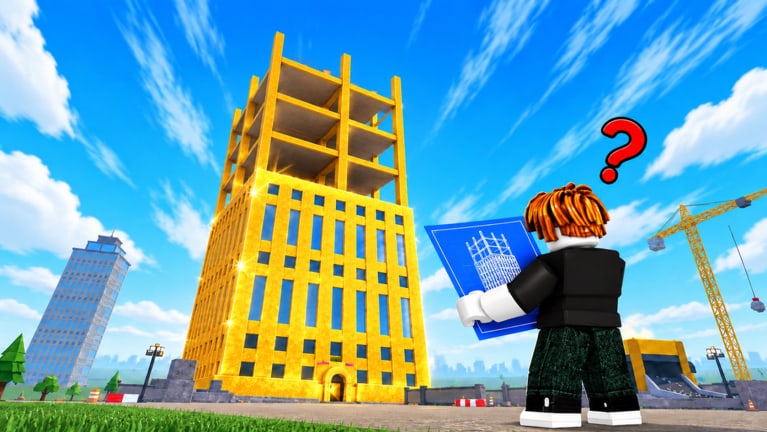
Plan the minutes, finish the tower
The Session Planner helps Build the Skyscraper! players turn free evenings into finished floors instead of vague wandering. The High Stars built a co-op incremental loop—grab materials, place floors, train carry and speed, finish skyscrapers—on Desktop, Console, Mobile, and Tablet with up to 50 players. Without a time box, lobbies drift into overpacking, endless gym AFK, and almost-done towers (Common Mistakes).
Use this page with the flagship Build Checklist for roles and hazard boxes. Deep mechanics stay on the Guides Hub; this tool only schedules them.
How to pick a template
| Available time | Best template | Primary goal |
|---|---|---|
| ~15 minutes | Scout / micro-push | One clean loop or hazard re-scout |
| ~30 minutes | Standard climb | Advance a floor band + one train block |
| ~60 minutes | Finish-focused | Complete a tower, train, prep next |
Always confirm you are on the correct place: Build the Skyscraper. Glance at Updates if Lava branding still shows (featured window ~2026-11-02, still relevant mid-November 2026).
Build / train ratio guidelines
There is no official spreadsheet from the developers. Community-sensible defaults for this loop:
- Early learning (day one): ~80% build-route practice / 20% short train (Getting Started).
- Steady climb: ~70% build / 30% train when carry or speed clearly bottlenecks (Training Stats).
- Finish window: ~95% build on the proven path / 0–5% emergency speed touch-ups only (Finishing Towers).
- Post-finish: Flip to a dedicated train block before naming the next tower (Training Priority).
If every haul still feels pathetic after two train blocks, you are under-training. If the pad starves while everyone gyms, you are over-training mid-push.
15-minute template — scout or micro-push
Goal: Leave smarter, not necessarily taller.
| Minute | Action |
|---|---|
| 0–2 | Pre-flight from Build Checklist: device, title tag, correct place |
| 2–5 | Empty-hand scout of the material path; note lava hazards (Lava Update) |
| 5–12 | Three to five light haul → place cycles; no novelty loot |
| 12–15 | Optional 2-minute train touch or write one callout habit for next time; logout clean |
Finish goal: Not required. Success = zero wipes and a named safe lane. Ideal for Mobile Tips warm-ups and post-update nights.
30-minute template — standard climb
Goal: Visible floor progress + one intentional upgrade.
| Minute | Action |
|---|---|
| 0–3 | Checklist pre-flight + role lock (solo flex OK) (Players Hub) |
| 3–5 | Name floor target and bottleneck material (Materials Tier) |
| 5–18 | Haul/place push on the safe route |
| 18–24 | Train carry or speed—the bottleneck only |
| 24–28 | Retest with upgraded hauls; top off the named floor |
| 28–30 | Pulse review: keep going next session or stop |
Finish goal: Optional. Prefer finishing a small band over starting a mega silhouette you cannot close. Pair with How to Build if cadence feels messy.
60-minute template — finish-focused
Goal: Complete at least one skyscraper (or clearly defined band), train, prep next.
| Minute | Action |
|---|---|
| 0–5 | Full checklist: roles, floor name, lava hazard sentence, session end time |
| 5–35 | Build push with pad staffing; rotate one trainer only if trips are hard-capped |
| 35–45 | Finish push — freeze novelty, staff pad, spam proven path (Finishing Towers) |
| 45–52 | Celebrate briefly; train bottleneck as a group or solo |
| 52–58 | Retest haul; light next-tower prep or second micro-band if time remains |
| 58–60 | End-of-session review from the checklist; schedule the next block |
Finish goal: Mandatory for this template. If the tower will not close by minute 40, shrink the definition of done—do not start a second vanity project.
Post-Lava checklist pointers
While Lava remains the featured chapter, every template inherits these boxes (detail on Build Checklist section 5 and Updates Hub):
- Dangerous tiles called before the first long loaded route
- Speed considered if detours appeared since last session
- New players shown one safe loop
- No greedy heat-lane pride runs during finish windows
- Title tag rechecked so you are not running retired paths
Solo, duo, and public variants
Solo: Use flex cycles inside the same time boxes (Solo vs Co-op). Shrink finish goals on the 60-minute plan.
Duo: Lock hauler + placer; swap trainer duty on the scheduled train block (Co-op Teamwork).
Public: Keep a micro-core, announce the floor once, hitchhike existing close-outs, mute griefers. Do not let 50-player chaos rewrite your logout time.
Codes and scripts (keep them in their lane)
- Optional 30-second glance at Codes during pre-flight only—no verified actives as of mid-November 2026.
- Never budget session time for executors; see Scripts Hub and Script Safety.
Quality checks before you queue
- Template chosen and end time set.
- Floor target sentence written or spoken.
- Build/train ratio matches the phase (climb vs finish).
- Lava pointers acknowledged.
- Build Checklist open for roles if more than one human is playing.
Good planners make co-op feel intentional. Pick 15, 30, or 60; protect the finish window; train on purpose; and log out knowing what the next session inherits.
Frequently Asked Questions
Quick answers for builders climbing the skyline.
Which session length should beginners use?
Start with the 15- or 30-minute templates. Learn routes and one train block before committing to a 60-minute finish push.
How is this different from the Build Checklist?
The checklist covers roles, hazards, and pass conditions. The session planner assigns those steps to a clock so you actually finish on time.
What build/train split should I use during a finish push?
Almost all build on the proven path. Save dedicated training for after the tower completes unless a tiny speed fix stops repeated wipes.
Can I use these templates on mobile?
Yes. Prefer 15–30 minutes when heat or thumbs fatigue, and read Mobile Tips for camera and battery habits.
What if my public lobby ignores the plan?
Keep your micro-core and logout time. Hitchhike finishes when possible, mute griefers, and hop servers rather than rewriting the whole template.
Should codes change my schedule?
No. Glance once during pre-flight. Mid-November 2026 still has no verified active codes—do not delay the first haul.