Getting Started in Build the Skyscraper
From your first material pickup to a finished tower with teammates.
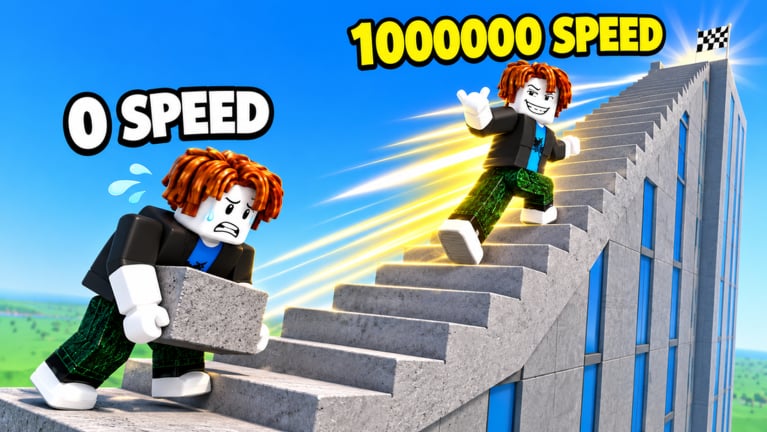
Welcome to the job site
Build the Skyscraper! is a free Roblox co-op incremental simulator by The High Stars. You grab materials, place floors on a rising tower, train so you can carry more and move faster, then finish skyscrapers with other players on the same server. It runs on desktop, console, mobile, and tablet. Servers support up to 50 players. The live title branding highlights the Lava Update, so expect heat-themed presentation layered on the same build-and-train loop.
This page is your day-one plan: join cleanly, learn the materials route, place early floors without panic, take a short training break, find people worth building with, and chase a first finished tower. For deeper mechanics, jump to How to Build, Materials and Carry, Training Stats, Controls, and the Lava Update guide.
Join the experience
Open the official place from Roblox search or the game page for Build the Skyscraper!. Favorite the experience so you can return after updates. Before you spam movement, glance at the on-screen UI: material pickup zones, the active tower or placement area, training spots, and any menus for inventory or stats. Roblox defaults still apply for walk, jump, and camera—see Controls if you need platform-specific tips.
Spend thirty seconds watching other players. Busy servers show the real loop better than any menu text: people run out light, come back loaded, drop materials into floors, then either keep building or peel off to train. If the lobby feels chaotic, that is normal on a 50-player cap. You do not need a private squad to start; solo progress still teaches the routes you will use in co-op.
Check Codes once per session if you want freebies, but do not invent or share unverified strings. As of mid-November 2026 this wiki does not list confirmed active promo codes for this exact place. When codes appear, the codes hub is the place to verify them.
Find materials and learn the loop
Your first job is simple: locate where materials spawn or dispense, pick up as much as your current carry allows, then ferry that load to the build site. Early capacity is low on purpose. Treat the first ten minutes as route learning, not height racing. Memorize a short path that avoids crowding and backtracking. If the Lava Update theme adds glowing hazards, pits, or hotter-looking lanes, prefer the safer lane even when it looks slightly longer—wipes and drops waste more time than a clean detour. The Lava Update overview and Lava Update builder tips explain how to adapt without guessing patch notes.
Prioritize materials you can actually place soon. Hauling a glamorous stack you cannot unload efficiently feels productive and is not. Fill to a comfortable weight, run a smooth line, place, repeat. When you bump into your carry limit constantly, that is the cue to open Materials and Carry and schedule a training break from Training Stats.
Place your first floors
Placement is the payoff. Move into the active floor or scaffolding zone, confirm you are contributing to the shared tower (or the intended build target on your server), and unload. Watch for green or highlighted place zones if the UI marks them. Place what you carried, then leave immediately for the next trip. Standing on the pad admiring the skyline is how queues form and how teammates lose rhythm.
Early floors teach cadence. Count mental cycles: pick up, path, place, reset. If a cycle takes forever because you overpacked, lighten the next load. If a cycle is fast but tiny, train carry soon. If you keep missing the place zone, slow the camera and use Controls tips for tighter interact aiming on your device.
Do not obsess over perfect aesthetics on day one. Height and finished towers matter more than decorative perfection while you are still unlocking basics. Save style debates for later sessions once the team can finish structures reliably.
Train the basics without derailing the tower
Training exists so later trips matter. The official pitch is clear: train to carry more and move faster. After two or three awkward trips, peel off for a short training block—enough to feel a difference, not an hour-long gym AFK. Then return to building so the new stats pay rent. Alternating build blocks and train blocks beats ignoring the tower until you feel “maxed.”
A practical first-hour split:
- Learn the material path and place a few floors.
- Train carry until loads feel less pathetic.
- Train speed until the return trip stops feeling sticky.
- Resume building and notice how many more floors you clear per minute.
- Reassess with teammates—maybe one person keeps placing while another trains.
Details and upgrade order live on Training Stats and the community-style Training Priority list. Treat those as reasoned advice for this loop, not official developer rankings.
Find teammates worth finishing with
Co-op is the heart of the pitch: team up to bring the skyline to life. You do not need eight friends. Even two coordinated players beat five silent randoms. Use chat or emotes to call roles: who runs materials, who stays near placement, who hits training between waves. Read Co-op Teamwork for runner / placer / trainer habits and 2–8 player tips under a 50-player server cap.
Good teammate signals: they finish trips, they do not block the place zone, they answer simple calls, and they celebrate finished towers instead of griefing paths. Bad signals: dumping loads in doorways, arguing over every block, or training forever while the tower stalls. Leave toxic servers; the experience is free and another lobby is a click away.
First finished tower goals
Set a concrete first-session goal: contribute meaningfully to one finished skyscraper with whoever is willing. Finishing teaches the end of the loop—how the site resets or advances, what rewards or progress feel like, and how the next tower demands better stats. If your group cannot finish yet, aim for a clear floor milestone and a planned train break, then try again.
Checklist before you log off:
- You can find materials without wandering.
- You can place without missing the zone.
- You trained both carry and speed at least once.
- You cooperated with at least one other player.
- You know where Codes, How to Build, and Lava Update live on this wiki.
What to open next
After this page, deepen building efficiency in How to Build, tighten the resource loop in Materials and Carry, and plan upgrades with Training Stats. Use Materials Tier when pickup choices feel noisy. Keep an eye on Lava Update whenever the Roblox title tag changes—live branding is the fastest signal that routes or hazards may have shifted.
Build the Skyscraper rewards patience, clean routes, and people who show up for the finish. Learn the loop once, then scale it with stats and teamwork.
Frequently Asked Questions
Quick answers for builders climbing the skyline.
Is Build the Skyscraper free to play?
Yes. It is free on Roblox for desktop, console, mobile, and tablet. Optional purchases may exist in-experience, but you can learn the full grab-build-train loop without paying.
Do I need friends to progress on day one?
No. Solo play teaches routes and training. Co-op finishes towers faster and matches the official team-up pitch, so grab willing randoms when you can.
What should I do first: build or train?
Build a few awkward trips to learn the path, then take a short train block for carry and speed, then return to building so the upgrades matter.
Where do I check codes and the Lava Update?
Use the Codes hub for verified entries only, and read Lava Update plus the Roblox game page title/description for live branding.
How many players can share a server?
Servers support up to 50 players. You rarely need that many on one tower—small focused groups usually place more efficiently.